Your live pit wall
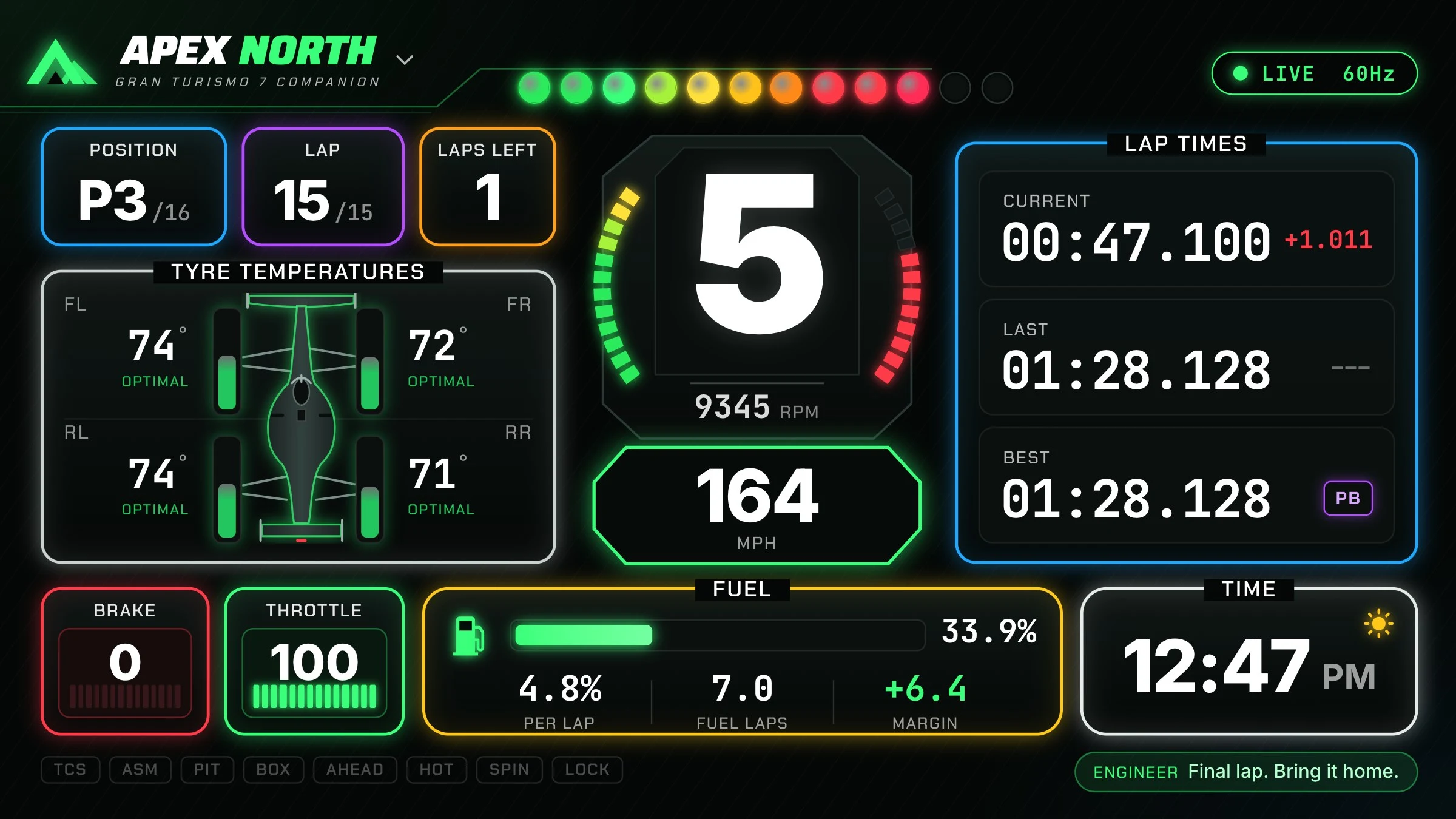
Gear, RPM, shift lights, tyre temperatures, driving inputs and live delta. See the numbers that matter while you drive.
Gran Turismo 7 desktop companion
A free GT7 telemetry dashboard, lap analyzer and offline race engineer. Turn your computer into a pit wall, then see where your next tenth is hiding.
Windows · macOS · Linux / No account required
Drive / Record / Analyze / Listen
Gear, RPM, shift lights, tyre temperatures, driving inputs and live delta. See the numbers that matter while you drive.
Offline callouts for lap times, sectors, race position, fuel and pit windows. Set the chatter level to suit your session.
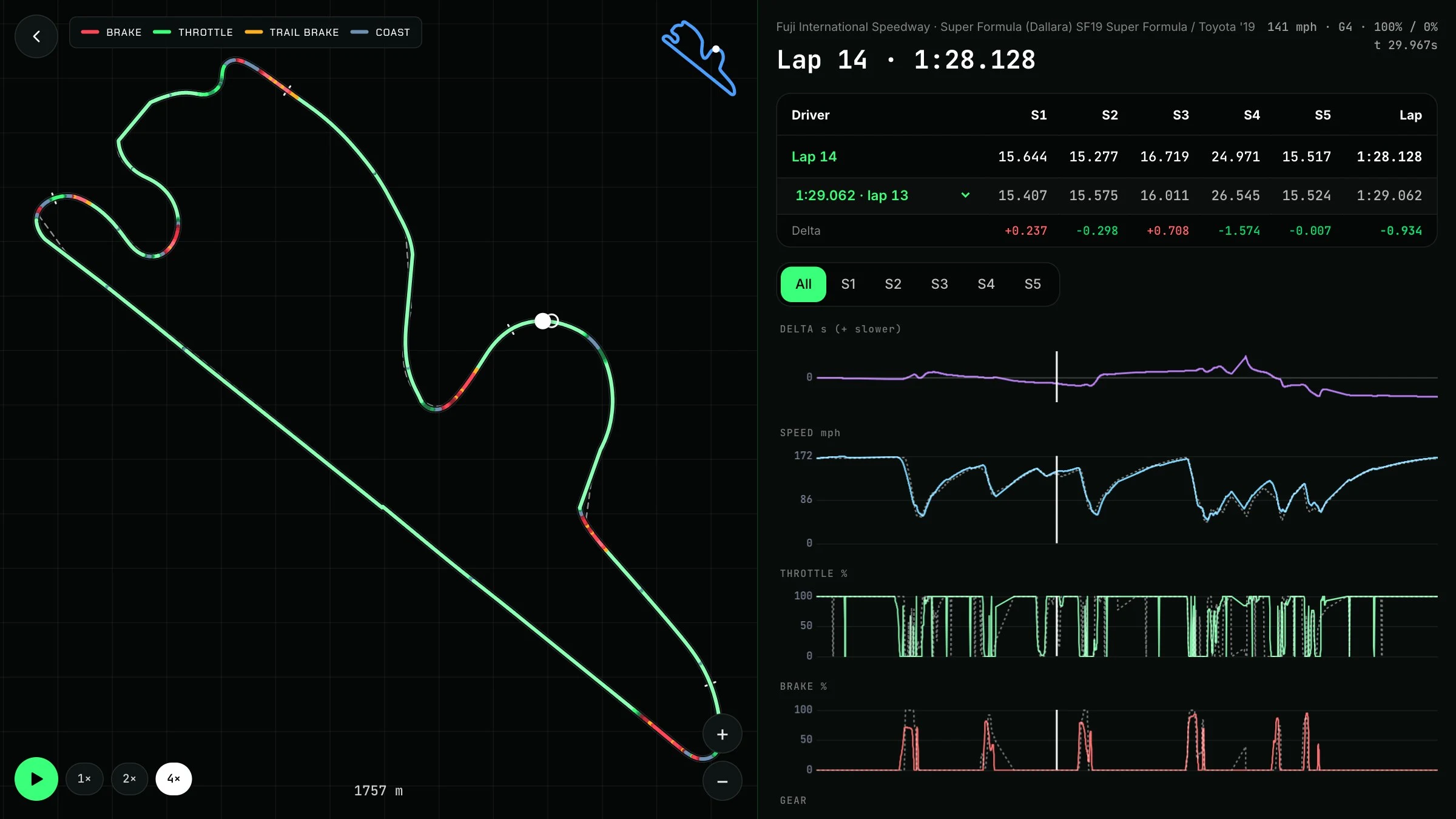
Compare laps on a track map with synced speed, throttle, brake and gear traces. Replay the lap and follow the ghost.
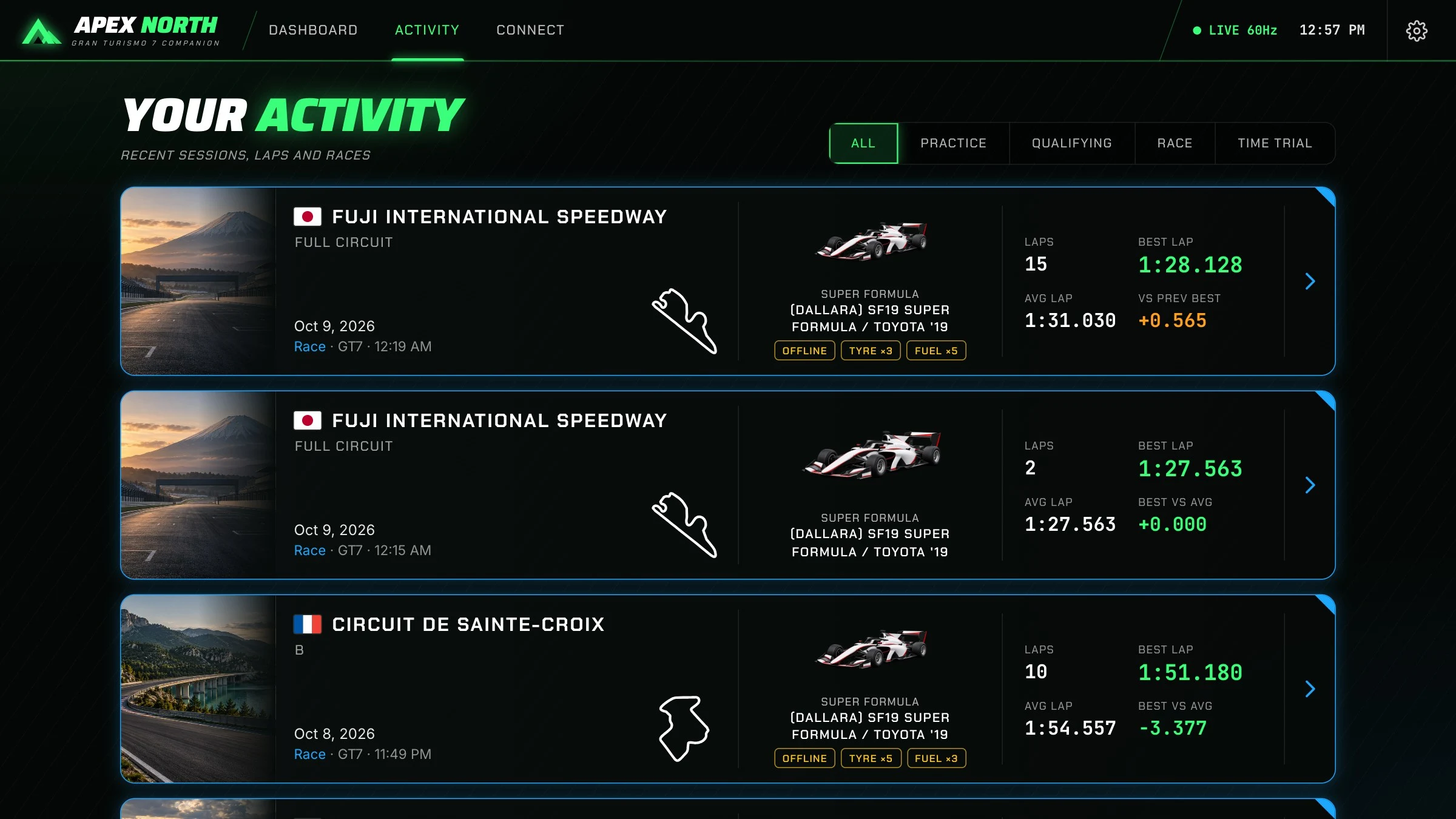
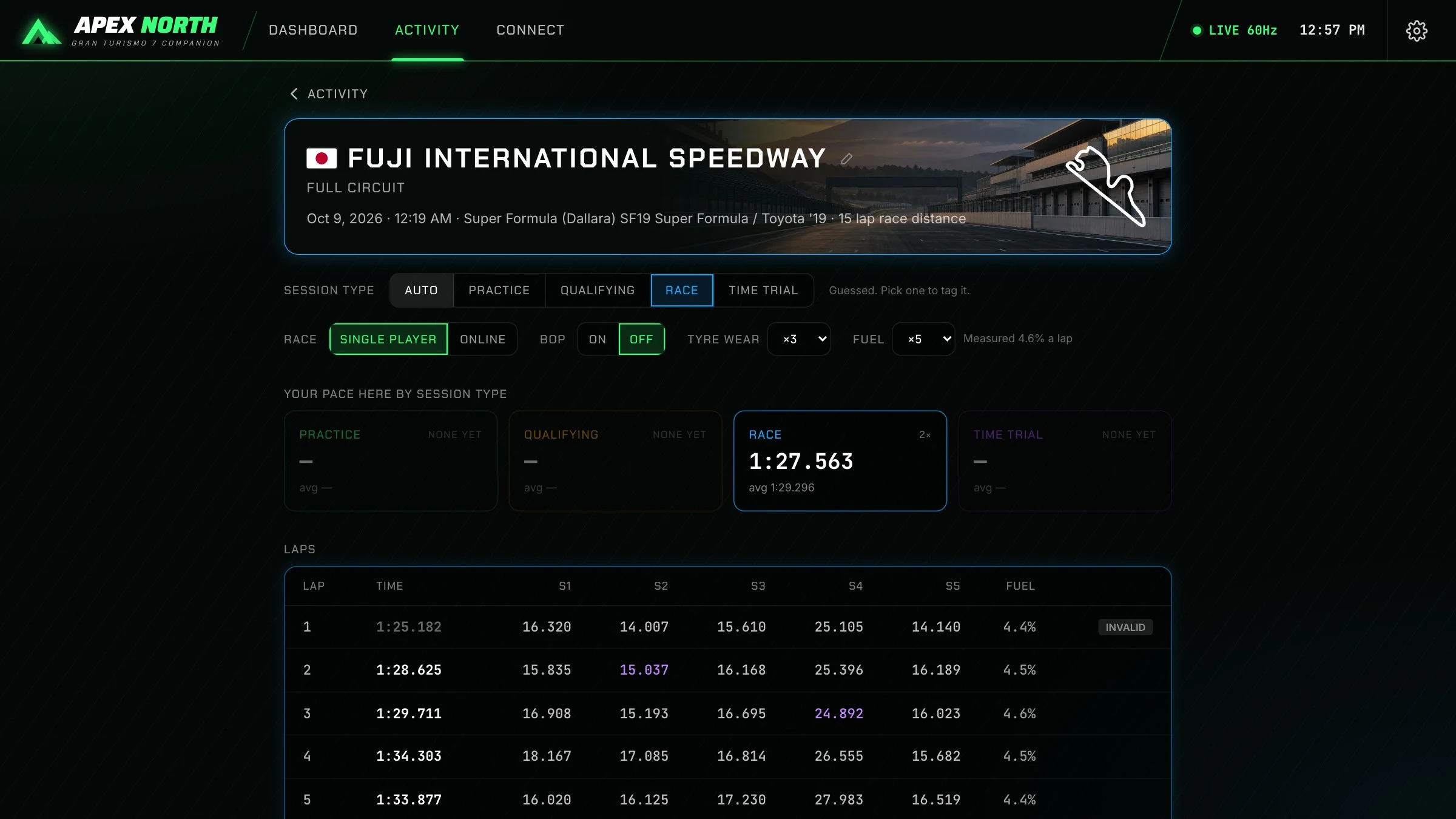
Automatic lap recording, five sector splits, track and car recognition, and a local session history to return to after the race.
No account required. Session data stays on your computer, and the bundled race-engineer voice runs without a cloud subscription.
Explore the source, report an issue or contribute on GitHub. Free for noncommercial use under PolyForm Noncommercial 1.0.0.
After the flag
Compare a slower lap with your best. Follow both cars around the map. Find the braking point, throttle hesitation or gear change behind the difference.
Get on the grid
Public alpha v0.1.0. Free for noncommercial use. Each button downloads the installer directly from the official GitHub release. Download it, then open the file to install.
Open Apple menu → About This Mac. “Chip: Apple M…” means Apple Silicon. “Processor: Intel” means Intel. Open the DMG and drag ApexNorth into Applications.
This early release is unsigned. macOS or Windows may show a security prompt. Review the official release and its installation instructions before deciding to proceed. Allow local-network access so the app can receive telemetry.
Platform installation instructionsPut your computer and PS5 or PS4 on the same network.
Start Gran Turismo 7 and get on track. Menus do not send telemetry.
Open Connect in Apex North and choose Find my PlayStation.
No console nearby? Choose Try demo mode on the Connect screen.
Built in Virginia. Shared with drivers.
This is an early public alpha from Eleven North. Expect rough edges, and tell us what you find. Useful bug reports, real driving feedback and thoughtful contributions help us make the app better.
The source is public under PolyForm Noncommercial. Commercial use requires a separate license. The current engineer uses local telemetry rules and offline speech; conversational AI coaching is a future goal.
Read the launch storyApex North is a desktop companion for Gran Turismo 7. It receives telemetry from your PS5 or PS4 on the same network, shows a live dashboard, records laps, compares driving inputs and speaks race-engineer callouts.
The alpha is free for noncommercial use and its source is public on GitHub. It uses PolyForm Noncommercial 1.0.0, which restricts commercial use, so it is more precisely described as source available rather than unrestricted open source. Commercial use requires a separate license from Eleven North.
For live GT7 telemetry, you need GT7 running on a PS5 or PS4 and a Windows, Mac or Linux computer on the same network. No extra telemetry hardware is needed. Demo mode lets you explore the app without a console.
No account or cloud AI subscription is needed for the current voice callouts. The bundled voice runs locally. Conversational AI coaching is a future goal, not a feature promised in this alpha.
Session recordings are stored locally on your computer. Optional voice downloads and release checks use the internet, but the core dashboard, lap recording and bundled voice operate locally.
Eleven North builds websites, desktop apps and custom software. Apex North is one example of taking an idea all the way to a working product.
Independent companion software. Apex North and Eleven North are not affiliated with or endorsed by Sony Interactive Entertainment or Polyphony Digital. Gran Turismo is a trademark of its respective owner.